

Voice broadcasting software that reaches every contact at once
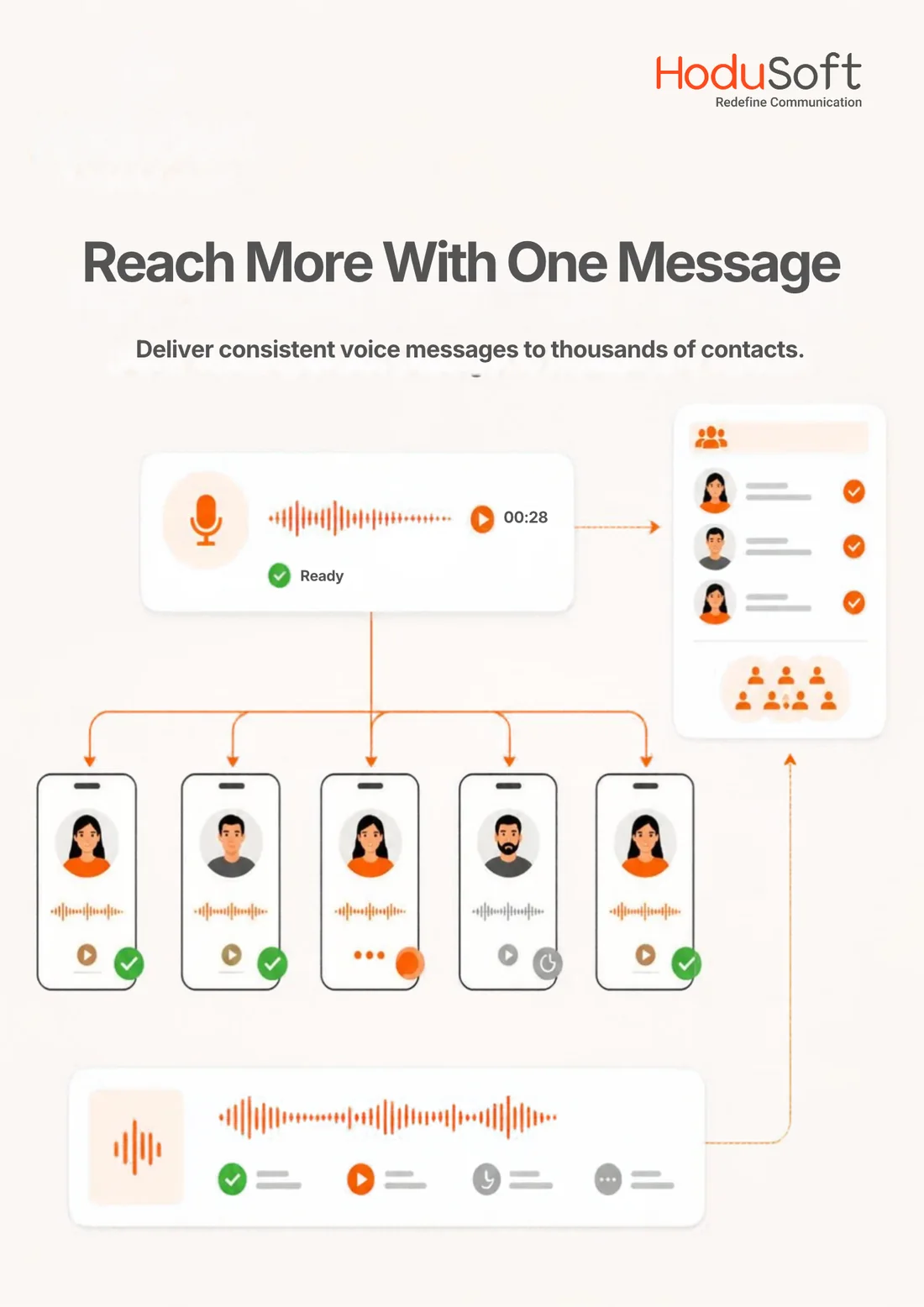
HoduCC’s voice broadcasting software calls thousands of contacts simultaneously and plays a message shaped for each one, from the amount and due date on their record to a text-to-speech greeting by name. No agent is needed on the line. Recipients press 1 to reach your team, request a callback or opt out, and HoduCC logs every outcome against the campaign and the contact record.
See voice broadcasting in action
A walkthrough with a HoduSoft specialist, mapped to your contact lists, message types, calling windows and deployment model.
Trusted by organizations on six continents


Awards and recognition
 Capterra Shortlist 2026
  Software Advice Front Runners 2026
  GetApp Category Leaders 2025
  Software Suggest
  Globee Awards 2023 Gold Winner – Information Technology
  Unified Communications Product of the Year 2023
  Internet Telephony Excellence Award 2023
  NXTGEN BPO Confex and Awards 2023
  CIO Insider – Top 10 UC Providers 2023
  Digital.com Best Telemarketing Software
  Indian Achievers Award 2021
  Customer Contact Center Technology Award 2021
  UBS Forums
 How it works
How voice broadcasting works in HoduCC
HoduCC’s voice broadcast dialer calls your list automatically and plays your message the moment someone answers. No agent waits on the line, so a single HoduCC campaign does the work of hours of manual dialing.
In the HoduCC campaign console, you upload a contact list, build the message from recorded prompts, dynamic values or text-to-speech, and set the schedule and retry rules. HoduCC screens every number against your DNC lists, then dials in parallel. Answering machine detection picks the live or voicemail message, and live recipients use the multi-level IVR to reach an agent, request a callback or opt out.
Key highlights
- Personalized messages with each contact’s name, amount or date
- Parallel dialing paced to your SIP trunks and carriers
- Press-1 transfers to agent queues, callbacks and opt-outs
- Answering machine detection with a separate voicemail message
- Calling windows set by each recipient’s time zone
- DNC and opt-out checks before a number enters the queue
Every number is checked against suppression lists before it enters the dialing queue.
The business case
One message. Every contact. A measurable response.
Voice broadcasting takes care of the calls that do not need a conversation, so your agents spend their time on the calls that do.
- Reach a whole list in the time one call takesA single campaign works through the list in parallel rather than one number at a time, which matters most when the message cannot wait.
- Keep agents for the calls that need themReminders, notices and confirmations go out on their own. Agents step in only when a recipient presses 1 and asks to speak to someone.
- No abandoned callsThe message begins the moment a call is answered, so no recipient hears silence or waits on hold. Press-1 transfers are paced to the agents who are free.
- Approved wording, personalized for each contactEvery recipient hears the script your brand, legal and compliance teams signed off, with their own name, amount or date in place.
- Turn listeners into responsesKeypad options capture intent while the call is live: confirm, pay, request a callback, answer a survey question or opt out.
- Call when people are ready to answerTime-zone scheduling, calling windows and retry rules make sure the campaign rings when recipients are most likely to pick up.
- Know what each campaign returnedAnswer rates, voicemail drops, key presses and transfers are reported per campaign, while it runs and after it ends.
Inside HoduCC
The voice broadcasting console, from contact list to final report
Campaign setup, messages, response handling and reporting sit in one console, so a bulk voice broadcast moves from draft to delivered without passing between tools.
Every broadcast campaign, one console
Lists, messages, IVR options, schedules and reports are configured campaign by campaign from a single administration console.
Walk through it with usBuild and launch a voice broadcast in a few configured steps
Upload a contact list, choose the message, then set the schedule, calling window, caller ID and retry rules. Each campaign holds its own settings, so a payment reminder and a service alert can run side by side without touching each other.
- Contact list uploads with duplicates and invalid numbers removed on import.
- A campaign scheduler for immediate, future-dated or recurring broadcasts.
- Retry rules for busy, unanswered and failed attempts.
- Caller ID per campaign so recipients recognize who is calling.
| Setting | Value | Status |
|---|---|---|
| Contact listQ4 policy renewals, with name, policy number and due date | Upload | Validated |
| ScheduleTuesday, 10:00 recipient local time | Scheduled | Set |
| Retry rulesTwo retries for busy or no answer, three hours apart | Rules | Applied |
| SuppressionInternal DNC and opt-out lists | Compliance | Checked |
Settings are held per campaign, so a change to one broadcast never alters another.
Recorded prompts, dynamic values and text-to-speech in one message
Build the message from recorded prompts and drop in values from each list record, such as the amount due, the appointment date or a reference number, which HoduCC plays out of the box. Text-to-speech can speak any field in the record, so a greeting can address each contact by name. Attach an IVR menu so recipients can act on what they have heard, and a separate voicemail message plays when a machine answers.
- Dynamic values out of the box with amounts, dates and numbers played from each record.
- Text-to-speech personalization with greetings by name or any other field in the list.
- Voice broadcast IVR with keypad options that follow the message.
- A dedicated voicemail message shorter, and with a number to call back.
| Component | Configuration | Status |
|---|---|---|
| GreetingText-to-speech with the contact’s first name | TTS | Approved |
| Message bodyRecorded prompt with amount and due date from the record | Audio | Approved |
| Press 1Transfer to the collections queue | IVR | Active |
| Press 9Add number to the opt-out list | IVR | Enforced |
A keypad opt-out is recorded the moment it is pressed and applied to every future campaign.
See every broadcast while it is still running
Supervisors watch dialed, answered, voicemail and transferred counts update in real time, and can pause, resume or change pacing without restarting the list. A priority notice can go out while scheduled campaigns wait their turn.
- Live campaign status across every active broadcast.
- Pause and resume without losing the position in the list.
- Pacing control matched to lines and to agents taking transfers.
- Transfer visibility showing which responses reached an agent.
| Campaign | Progress | Status |
|---|---|---|
| Payment remindersCollections · 64% of list dialed | Running | Running |
| Appointment confirmationsClinics · window closes 19:00 | Running | Running |
| Service outage noticeRegion North · priority broadcast | Complete | Completed |
| Policy renewalsInsurance · starts 10:00 tomorrow | Queued | Scheduled |
Each campaign carries its own list, message, schedule, retry rules and reporting.
Know exactly what every broadcast achieved
Reports break each campaign down by call outcome and keypad response, so you can see who heard the message, who acted on it and who needs another attempt. Results can be exported for analysis outside HoduCC.
- Call outcome reports covering answered, voicemail, busy and failed.
- Keypad response reports by option, by campaign and by contact.
- Transfer and callback tracking through to the agent disposition.
- Report exports for analysis in the tools your team already uses.
| Outcome | Share of list | Status |
|---|---|---|
| Answered by a personMessage played in full | 41.6% | Delivered |
| Reached voicemailVoicemail message left | 27.3% | Delivered |
| Pressed 1Transferred to an agent | 6.8% | Connected |
| Pressed 9Added to the suppression list | 0.9% | Opted out |
Figures shown are illustrative. Your results depend on list quality, timing and the message itself.
Core capabilities
Voice broadcast features built for high-volume outreach
Everything a campaign needs, from list preparation and message design to response handling and reporting, is managed from one administration console.
Bulk Voice Broadcasting
Deliver one message to a large contact list in parallel, with concurrency set by your lines and carrier capacity.
Text-to-Speech Personalization
Speak any field in the list record, from a greeting by the contact’s name to details that change from one recipient to the next.
Recorded Prompts with Dynamic Values
Recorded audio keeps your brand voice, while amounts, dates and numbers from each record are played out of the box.
Press-1 IVR and Live Transfer
Recipients press a key to reach an agent, hear more options or request a callback, at the moment their interest is highest.
Answering Machine Detection
Live answers and voicemail boxes are told apart, and each receives a message written for it.
Campaign Scheduler
Send now, later or on a recurring cycle, with calling windows tied to each recipient’s time zone.
Retry and Pacing Rules
Set retry intervals for busy and unanswered numbers and control how quickly the campaign moves through the list.
Lead and List Management
Upload, segment and clean contact lists, with every response tracked against the contact in its campaign.
DNC and Opt-Out Management
Every number is checked against internal and external suppression lists, and keypad opt-outs take effect immediately.
IVR and Agent Surveys
Collect ratings and feedback through keypad responses at the end of the message, then report on them by campaign.
SMS and WhatsApp Follow-Up
Follow the voice broadcast with a text or WhatsApp message that carries the link, the reference number or the next step.
Real-Time Reports
Track answer rates, voicemail drops, key presses and transfers per campaign, live and historically.
Use cases
Automated voice broadcast for every kind of outreach
The same voice broadcast system carries reminders, alerts, renewals and announcements. What changes is the list, the message and the response you ask for.
Payment and Collections Reminders
Due dates and balances delivered by text-to-speech, with press 1 to reach the collections team or make a payment.
Appointment Reminders
Patients and clients confirm, cancel or reschedule with a single key press, which cuts no-shows without tying up front-desk staff.
Renewals and Policy Notices
Renewal dates and document requests reach policyholders on schedule, with a direct route to an advisor for anyone with questions.
Service and Outage Alerts
Planned maintenance, outages and restoration notices reach every affected customer at once, before the inbound queue fills up.
Political and Community Outreach
Political voice broadcast campaigns, event announcements and civic notices delivered within the calling windows you configure.
Plan your first broadcast
We will map your lists, messages and response options to a working campaign in a personalized demo.
Integrations
Connect your voice broadcast dialer software with the systems you already use
HoduCC voice broadcasting works alongside the telephony, messaging and business systems around your campaigns. Agents who take press-1 transfers can work in the HoduCC In-Built CRM or in the CRM your team already uses.
CRM
Where agents work the calls that come through press-1 transfers.
Single sign-on (SSO)
One secure login for administrators, supervisors and agents through your identity provider.
Telephony
Your existing trunks and carriers carry the broadcast.
Messaging and follow-up
A text or chat message sent after the call, triggered by its outcome.
Business applications
Third-party systems specific to your operation.
APIs
Trigger broadcasts from your own systems and pull results back out.
Need a custom integration? That is a routine part of an enterprise engagement.
Compliance
Controls for compliance-conscious voice broadcasting
Automated voice messages carry consent, calling-hour and opt-out obligations in most markets. HoduCC applies the controls centrally and campaign by campaign, so every broadcast goes out under the rules you set.
These controls support your compliance program. They do not replace it, and they are not legal advice. Final responsibility for TCPA, DNC and regional obligations rests on how each campaign is configured and run.
Talk To Our Compliance ExpertCustomer proof
Trusted by teams that communicate at scale
In their own words: leaders who run customer communications on HoduSoft platforms.
We've worked with HoduSoft since 2017 and it has been an incredible journey. The support team always prioritizes our needs.
We are very satisfied with the cost-efficient application and the solutions we were able to develop on it.
Two years in, it has been a fruitful relationship. The products and the innovative solutions have been excellent.
Implementation
A voice broadcast setup built around your campaigns
Moving to HoduCC Voice Broadcasting follows a structured rollout shaped by your lists, your messages, your telephony and your customer systems.
Assess
Review contact lists, message types, calling hours and response flows to define each campaign.
Configure
Set messages, IVR options, schedules, retry rules and user permissions.
Integrate
Connect SIP trunks, carriers and SMS or WhatsApp follow-up.
Test
Broadcast to internal numbers to check audio, answering machine detection, key presses and transfers.
Deploy
Go live campaign by campaign on cloud, on-premises or hybrid infrastructure.
Optimize
Refine message length, timing and retries using answer-rate and response data.
Evaluation
Everything you need to know about voice broadcasting
Voice broadcasting software is a mass-communication tool that automatically dials a contact list and plays a recorded or text-to-speech message the moment each call is answered, often personalized with details from each contact’s record. It reaches thousands of recipients simultaneously, without an agent on each call, and can offer keypad options such as press 1 to speak to someone.
Voice broadcasting sends a one-way automated message, with optional press-1 responses, to a large list at once. Call campaign software manages two-way conversations, using predictive, progressive or preview dialers to connect live agents with contacts. HoduCC runs both on the same platform, so each campaign can use the mode that suits it.
You upload a contact list, build the message from recorded prompts, dynamic values or text-to-speech, and set the schedule, calling window and retry rules. The voice broadcast dialer then calls contacts in parallel, uses answering machine detection to choose the live-answer or voicemail message, captures keypad responses and returns unanswered numbers to the list under your retry rules.
Use a voice broadcast when the same information needs to reach many people quickly, such as reminders, alerts and announcements. Use live voice calls when each conversation needs a person. Many teams combine the two: the broadcast delivers the information, and press 1 connects interested recipients to a live agent.
Yes. With a voice broadcast IVR, recipients use their keypad to transfer to an agent, request a callback, confirm an appointment, answer a survey question or opt out. Every response is logged against the contact and the campaign.
Yes. HoduCC plays dynamic values such as amounts, dates and numbers from each list record out of the box, alongside your recorded prompts. With text-to-speech, any field in the record can be spoken, so greetings can address each contact by name and details can change from one recipient to the next.
Choose to send immediately, at a set date and time, or on a recurring cycle. Calling windows follow each recipient’s local time zone, and supervisors can pause or resume a campaign while it runs.
Answering machine detection identifies the voicemail greeting and plays a separate message written for voicemail, usually shorter and with a callback number. Live answers hear the full message with its keypad options.
Yes. Bulk voice broadcast campaigns dial contacts in parallel, with concurrency set by your lines, trunks and carrier capacity. Large lists can run as a single campaign or be split across schedules and time zones.
Automated and pre-recorded calls carry consent, calling-hour and opt-out requirements in most markets, including the TCPA in the United States. HoduCC provides DNC checks, consent controls, keypad opt-out and calling windows to support those obligations. Confirm requirements for each market and campaign type with your compliance or legal team.
Yes. A political voice broadcast uses the same scheduling, calling windows and opt-out controls as any other campaign. Rules for political calls vary by country and by the type of number being called, so review them with your legal team before launch.
Look for recorded prompts with dynamic values, text-to-speech personalization, answering machine detection, press-1 IVR with live transfer, time-zone scheduling, retry rules, DNC and opt-out handling, and real-time reporting. HoduCC brings all of them together in one console.
On cloud, on-premises or hybrid infrastructure, in single-tenant or multi-tenant configurations. BPOs and multi-brand operations can run client-specific campaigns, users, permissions and reporting on one platform.
Get your next message heard by every contact on the list
Bring a contact list and a message you need to send. We will build it into a live campaign during the demo and show you what recipients hear, what they can do next and what your team sees in the report.